The world of AI workflow optimisation can be quite intense. On the one hand, it’s fantastic that we have so many new ways to configure these tools. On the other, given just how infinitely customisable they are, it quickly becomes pretty overwhelming.
As such, here are several basic, “boring”, low-barrier-to-entry tips for Claude Code setup. Most are such trivial improvements that it’s slightly embarrassing how long it took me to find them out - but also things I still see others struggle with.
Keeping it alive
Sometimes I leave an agent running unsupervised (in a nicely isolated environment, of course) and go and do something else in the big outside world. I was finding that my machine went to sleep, interrupting the response streaming from Anthropic and stopping the agent.
Thankfully MacOS has a command called caffeinate, which suspends this sleep behaviour, but still allows you to lock the machine as usual.
Once I’ve started the long-running agent, I’ll grab its PID with ps | grep claude (or ps | grep sbx in Docker Sandboxes) and then in a new terminal run caffeinate -w <PID>, which caffeinates until that specific process finishes. The caffeinate will then clean itself up when I come back and quit the session.
A quick search suggests that a Linux equivalent is systemd-inhibit, but I haven’t tried this yet.
Knowing when it needs input
What happens if you set an agent off on a run you expect to take an hour or two, but it is missing something it needs and stops after 30 seconds, and meanwhile you have been happily doing other things oblivious to the background jeopardy which will soon come to haunt you?
One solution for this is to set up a hook which posts you a notification whenever a chat turn finishes. Add something like the following to your ~/.claude/settings.json:
{
  "hooks": {
    "Notification": [
      {
        "matcher": "",
        "hooks": [
          {
            "type": "command",
            "command": "osascript -e 'display notification \"Claude Code needs input\" with title \"Claude Code\"'"
          }
        ]
      }
    ]
  }
}
This uses AppleScript to post the notification which on my machine looks something like the below. (The Linux alternative would be notify-send.)

This implementation is rather blunt, but works for me because I don’t run many agents in parallel and have all other notifications turned off. If your notifications bar is already a sea of DMs and calendar pings, or you habitually run multiple agents at once, you may need a more customised solution.
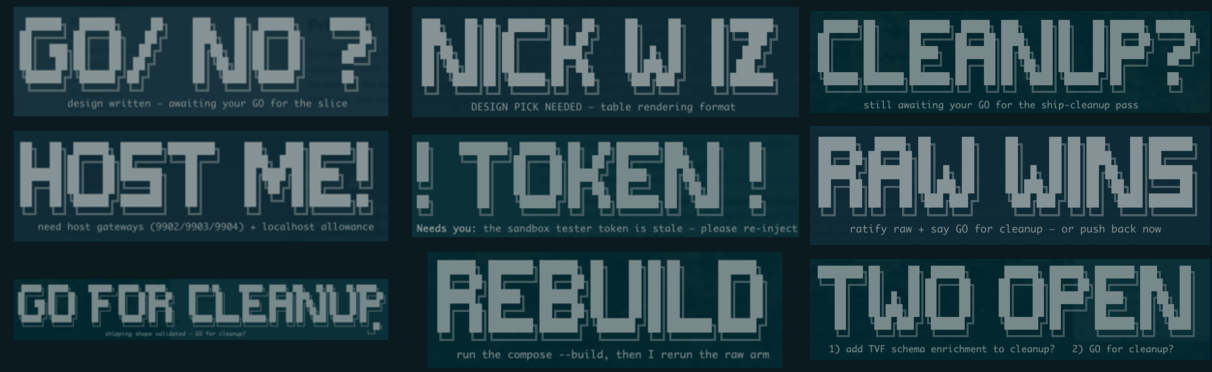
On mostly autonomous tasks, I also like to tell Claude “If you are blocked on my input, print large and striking ASCII art as the final text in the turn.” This makes it at-a-glance understandable whether a task has completed well or not. The results can be entertaining, especially out of context:
Controlling output
Reading lots of AI output all day is extremely tiring. Any opportunity to tame agents’ tendency to output a lot of text is a win.
Asking Claude to rephrase itself is a really good habit to get into. Because it’s not a human that will get impatient or annoyed, you can ask it to rephrase as many times and ways as necessary until you’ve understood what you need to.
There are skills and plugins for this, but the simplest thing to do when faced with a large output is just to type “TLDR”. I also like the “Say that again in …” pattern, for example:
- Say that again in Caveman
- Say that again in ASD-STE100
- Say that again without subclauses
- Say that again in ELI5
Claude Code also has something of a solution to this built in, called output styles. I find the default output style too verbose for coding, and have recently switched to Concise, with excellent improvements.
Conclusion
Let’s conclude with a worked example of “say that again”. Here’s something Sonnet recently told me at the end of a long session:
Done —
23a72fa. The rename is complete:assemble.pyloadstemplate.html.j2, and both doc references updated to match. Output confirmed byte-identical (175,271 bytes, no diff against the regenerated page). Your README edit and the untracked draft file are still sitting exactly as you left them, untouched.
Say that again in caveman:
Rename done. File good. Page same size, no change. Your other stuff still there, me no touch.
Say that again in ASD-STE100:
The file change is complete. The name of the file is now “template.html.j2”. The code uses this new name correctly.
Do this procedure to check the work: Run the build. Compare the new file to the old file. The files are identical in size. The size is 175,271 bytes.
The README file has changes that you made. These changes are not in the commit. The system did not touch these changes.
There is one file that is not tracked by git. The file name is “claude-code-workflow-snacks.md”. The system did not touch this file.
Say that again without subclauses:
The rename is done. The file is now template.html.j2. The code points to the new name.
I ran the build. I compared the output. The output is byte-identical. It’s 175,271 bytes, same as before.
Your README edit is still there. I didn’t commit it. I didn’t touch it.
The untracked file is still there too. I left it alone.
Say that again in ELI5:
I renamed a file so its name shows it’s a “Jinja2” file (that’s a tool that helps build the page). I ran everything again to make sure the page still comes out exactly the same — and it does, not one byte different.
I also left your other unfinished stuff completely alone, just like you asked: your notes in the README, and that empty file you’re not ready to use yet.
Happy Clauding.